Enable lossless streaming
in 60 seconds
LastWave's lossless FLAC streaming ships as a separate addon. This guide walks through every step from generating your personal addon URL to pasting it into the app.
Install LastWave v4.2.0 or newer
Download the latest APK from the downloads section. Any version from v4.2.0 onward supports addons.
If you already have LastWave installed, check Settings → About to confirm your version. If it's older than v4.2.0, update before continuing. The addon option won't appear in the settings menu.
Open the LastWave bot and verify
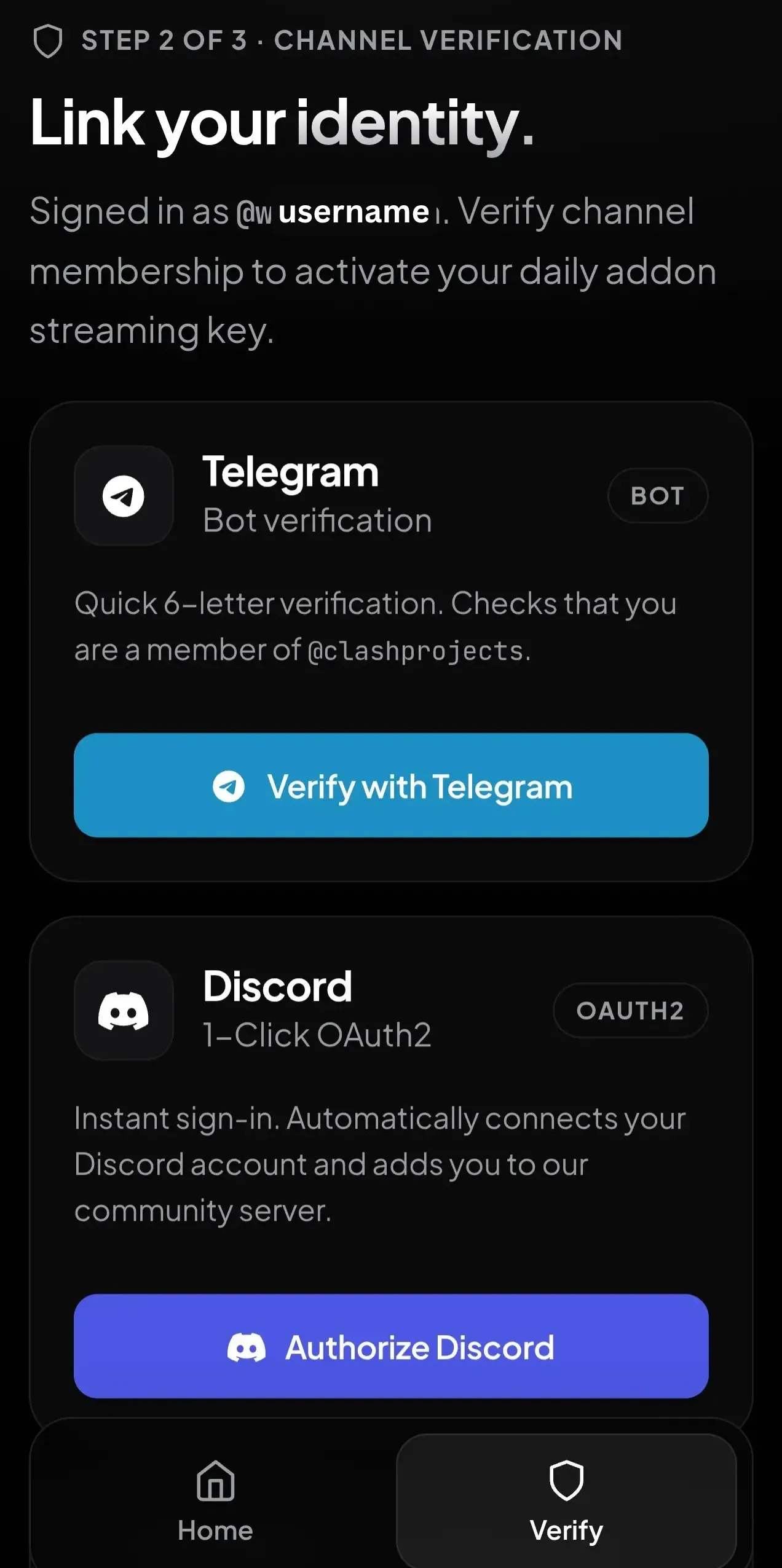
Create an account on the LastWave addons website, then verify it using Telegram or Discord.
Option A: Verify with Telegram
- Open the addon bot: @lastwave_bot
- Send
/startto the bot. - Copy the 6-digit code displayed on the website and send it to the bot.
- To verify the code, It will ask you to join the lastWave official Telegram channel.
- After joining, re-send the code to the bot.
- Return to the verification page and click Confirm & unlock URL.
Option B: Verify with Discord (Instant, no code required)
- Open the LastWave Discord server link.
- Tap Authorize.
Copy your personal addon URL
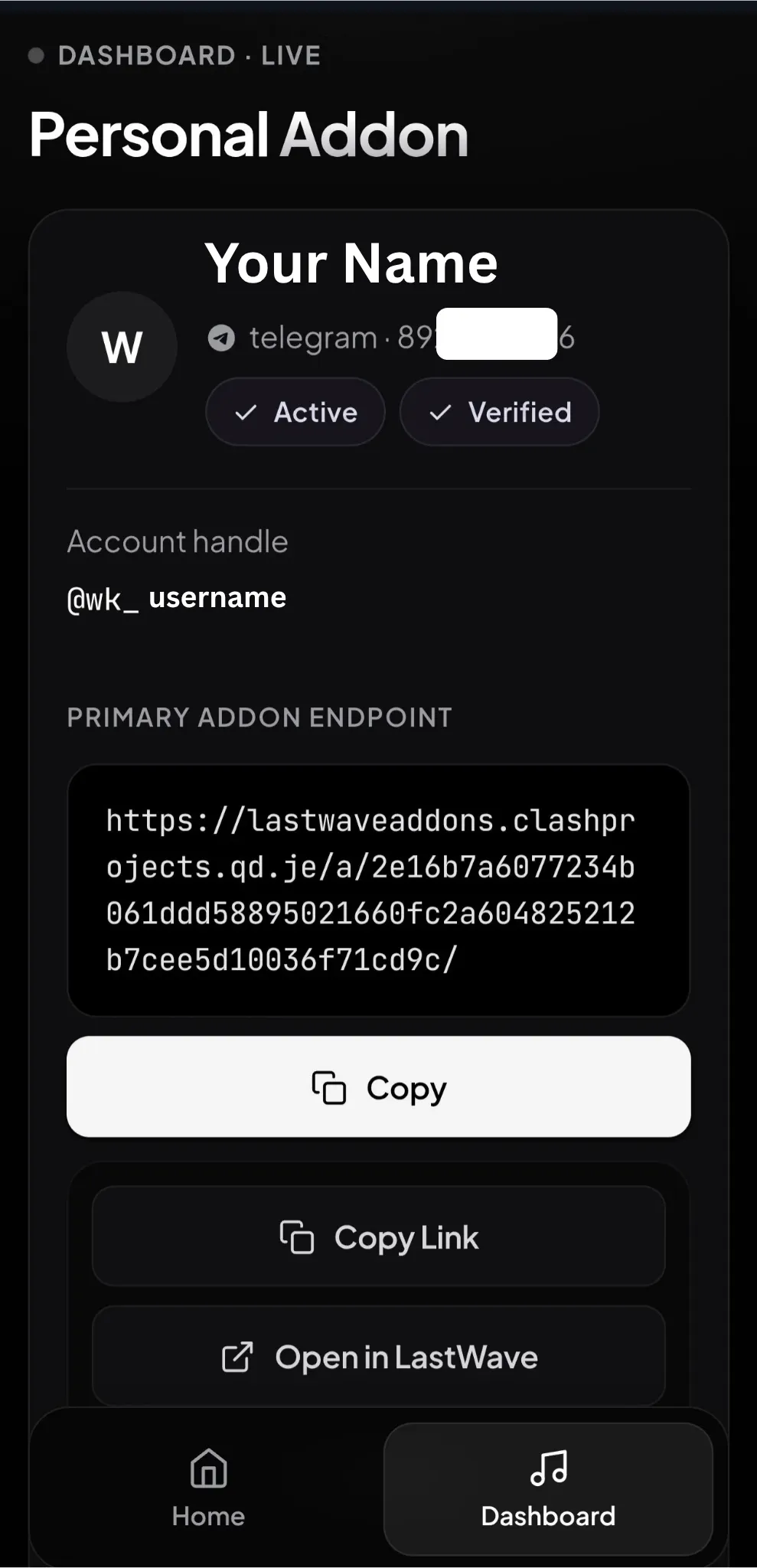
After verification, open the Dashboard. You'll see a unique URL that looks something like:
https://lastwaveaddons.clashprojects.qd.je/xxxxxxxx
Tap the Copy button next to it. The URL is personal to your account. It identifies your device for rate-limiting purposes.
Paste it into LastWave
Open the LastWave app and follow this exact path:
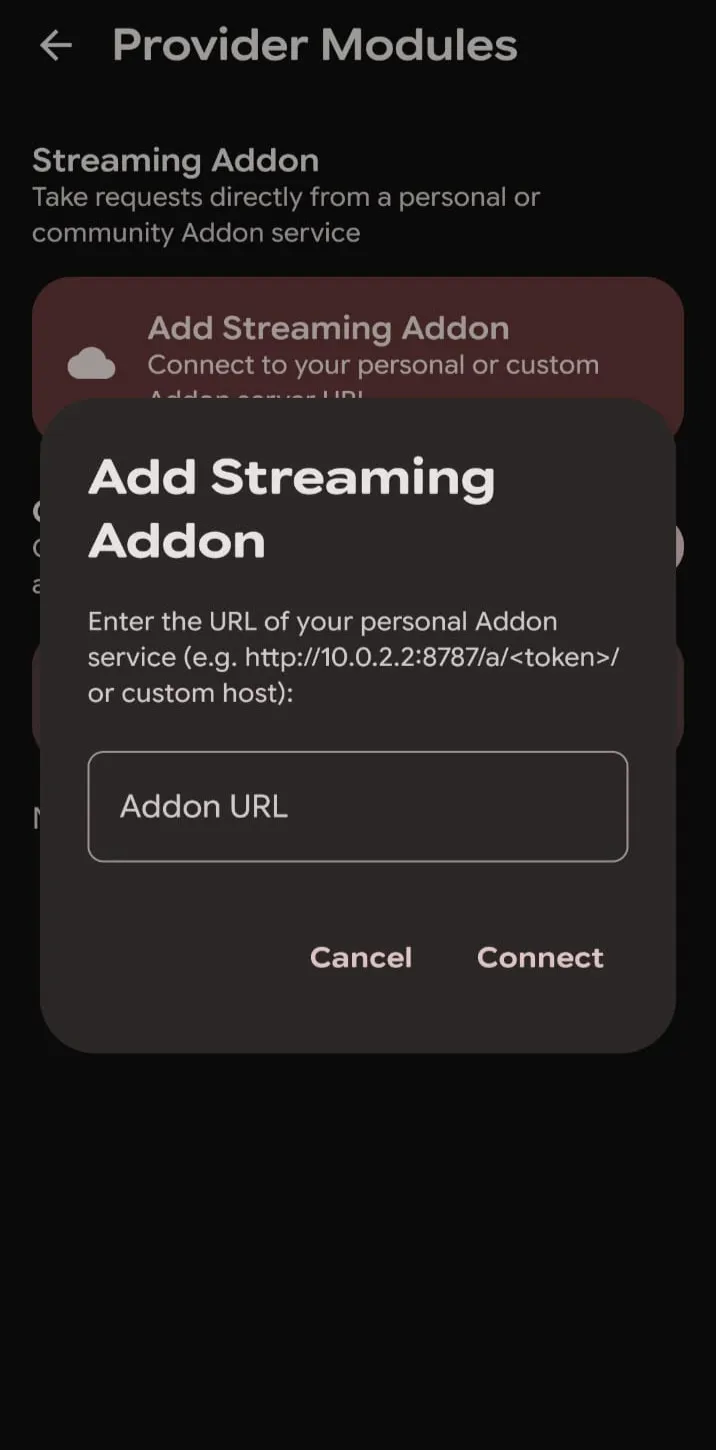
Settings → Provider Modules
Paste the URL into the text field and tap Connect.
Once it connects, you'll see a green confirmation message and the addon toggle will flip to active.
That's it. Enjoy your lossless streaming now.
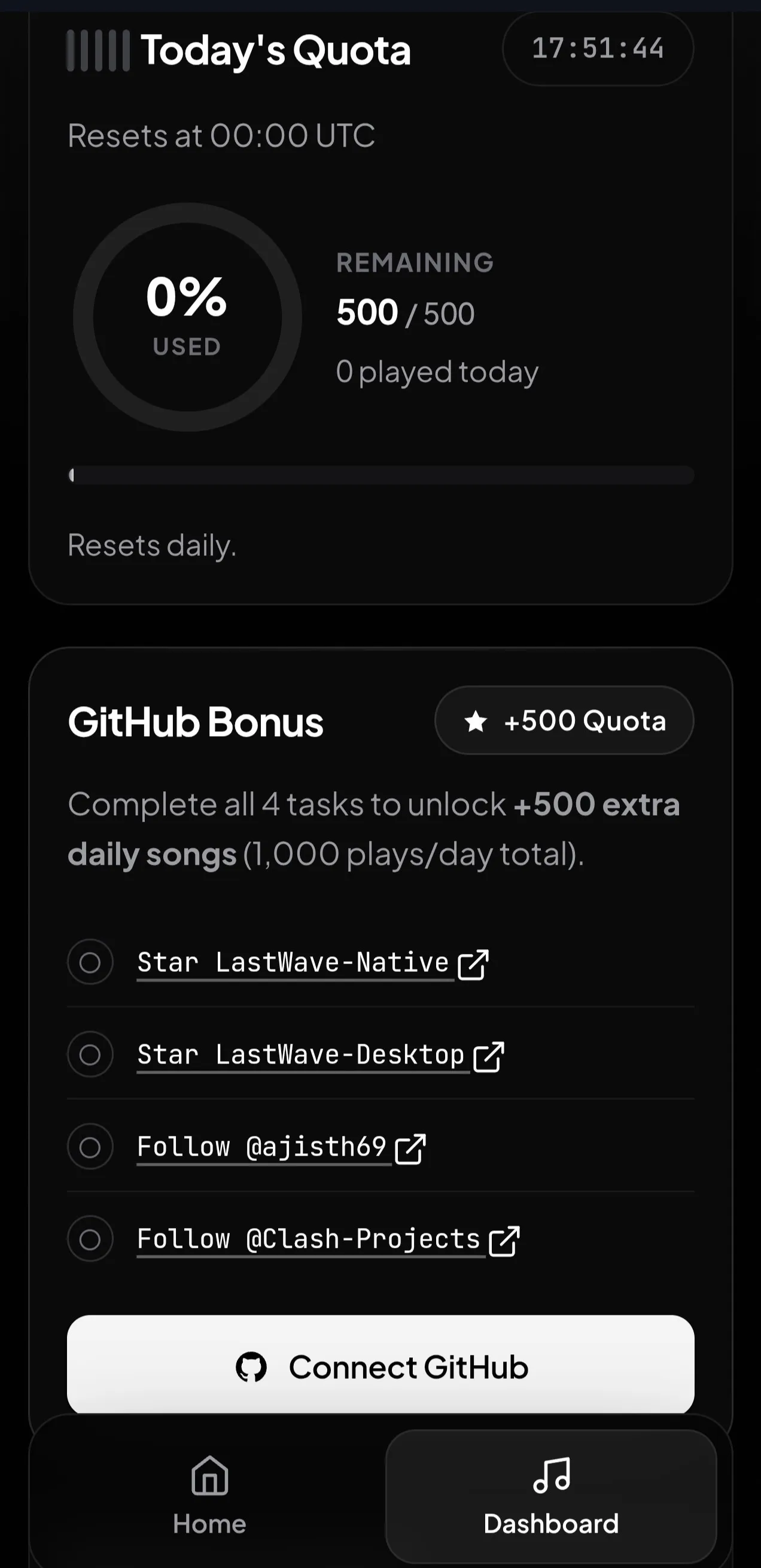
The Dashboard lists a few small GitHub tasks you can complete to raise your daily quota from 500 to 1,000 requests. Tasks include starring the repository's, and following the developer accounts. By doing the 4 tasks, the total adds up to 1,000 plays/day. Check GitHub Bonus section in the dashboard to see the current task list.
Troubleshooting
Fix the four most common issues in under a minute.
Addon not connecting
Check that you pasted the full URL, including the https:// prefix. If it still fails, verify your internet connection and try again. If the problem persists, generate a new URL from the Dashboard.
Daily limit reached
Your 500 requests reset every 24 hours. Complete the GitHub tasks in the dashboard Bonus menu to raise the cap to 1,000.
Verification failed
If the bot rejects your verification, try restarting the conversation with /start. On Telegram, make sure you have a public username set account without one are sometimes flagged as spam. On Discord, ensure you've joined the server.
Falling back to Opus
Not every track has a lossless source available. The app automatically falls back to Opus when FLAC isn't available - this is normal and expected. Roughly 99% of the popular catalog is lossless.
Addon stopped working
The backend occasionally rotates. If streaming fails suddenly, return to the Dashboard and regenerate your URL, then paste the new one in Settings. Old URLs are invalidated as soon as you generate a new one.
Can I share my addon?
No. Each addon URL is tied to your account for rate limiting. Sharing it means sharing your daily quota and if the bot detects unusual activity across multiple devices, the URL is auto-revoked.
Frequently asked
Do I need an account to use LastWave?
No. Non-lossless playback works without any account, using the built-in Guest Login. The Telegram or Discord verification step is only for the lossless addon, and it's used for rate limiting not for marketing, tracking, or analytics.
Is the addon free?
Yes, completely. There is no paid tier and no way to purchase extra requests. The developer accepts voluntary donations through Buy Me a Coffee, GitHub Sponsors, and Telegram Stars to cover the backend costs, but donating doesn't unlock any additional features or quota.
What is the daily limit and does it reset?
The default limit is 500 requests per day, which works out to roughly 16-18 hours of continuous playback. You can raise it to 1,000 by completing the GitHub tasks. The counter resets every 24 hours from your first request of the day.
What if I get a new phone?
Your addon URL works on any device it's not tied to a specific phone. Just paste the same URL into LastWave on the new device. If you're replacing the old phone entirely, consider generating a fresh URL to invalidate the old one.
Is my listening history sent to the backend?
No. The backend only handles streaming requests it returns audio data when the app asks for a specific track. Your library, playlists, listening stats, and history stay on your device and are never transmitted. See the Trust & Safety section on the homepage for the full breakdown.
Can the addon be revoked?
Yes, the developer can revoke any addon URL for abuse. If you exceed the daily limit through automation, share your URL publicly, or attempt to circumvent the rate limiting, the URL is disabled. You can generate a new one by going to the Lastwave addon Dashboard, but repeated abuse results in a permanent ban.
How do I report a bug with the addon system?
Open an issue on the GitHub issue tracker. Include your app version, the error message you saw, and steps to reproduce. Do not paste your addon URL in the issue. The developer can look up your account from the GitHub username instead.
What happens if the developer shuts down the backend?
Lossless streaming would stop working, but the app itself would continue to function for non-lossless playback. The APK is open source under GPL-3.0, so the community could theoretically host an alternative backend. This is exactly why we recommend keeping the APK downloaded and updated. The app doesn't depend on a single server for its core functionality.
Ready to try lossless?
Download the latest LastWave APK, follow the four steps above, and start streaming FLAC in under two minutes.
Download LastWave APK